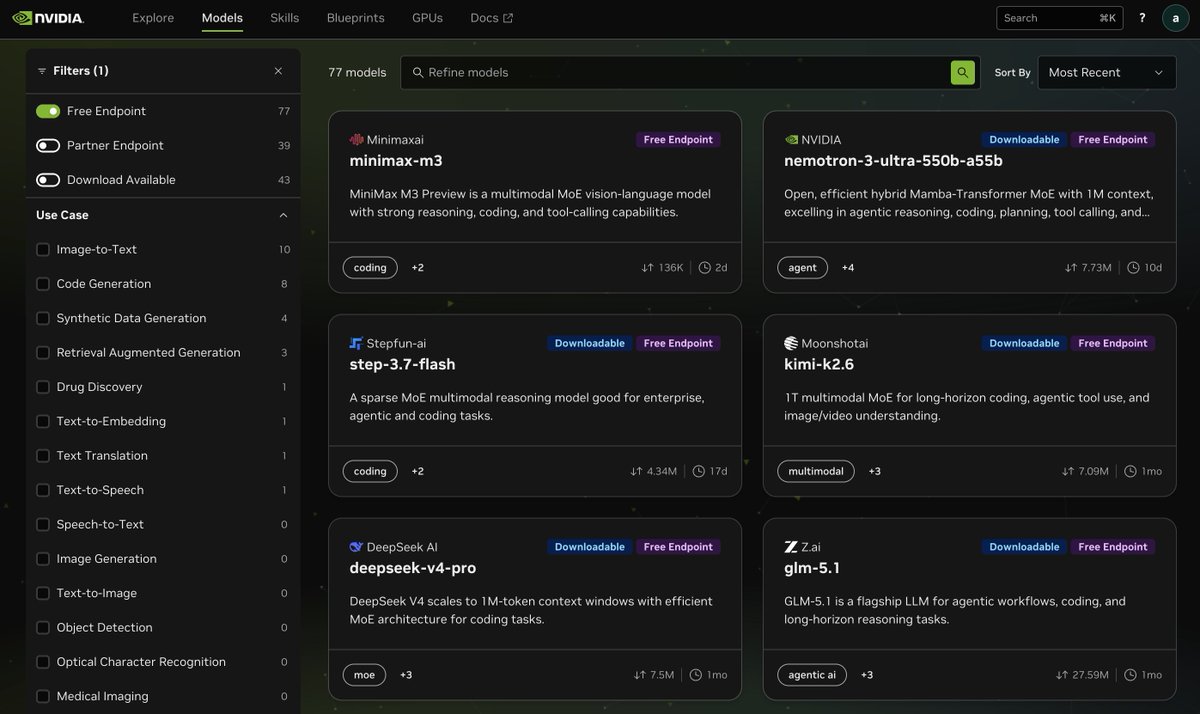
How to Access Multiple Advanced AI Models for Free Using NVIDIA NIM API in OpenCode
A step-by-step tutorial for developers to reduce AI tool costs by leveraging NVIDIA's free, rate-unlimited API endpoints for models like MiniMax M3, Step-3.7 Flash, and GLM-5.1.
Practical Summary
This tutorial explains how to connect the OpenCode coding assistant to NVIDIA's free NIM API tier, which currently provides access to several advanced Chinese AI models without rate limits. Following these steps allows developers to use powerful models for free, directly reducing coding tool subscription costs.
Why It Matters
For individual developers and small teams, API costs for advanced AI models can be a significant expense. This method provides a compliant, zero-cost alternative for accessing models from providers like MiniMax and Zhipu AI (GLM) through a unified free tier, enabling cost-free experimentation and workflow integration.
Step-by-Step Guide to Setting Up Free NVIDIA NIM Models in OpenCode
This guide walks you through connecting the OpenCode tool to NVIDIA's free API endpoints, which currently host several advanced models without usage fees or rate limits.
1. Access the NVIDIA NIM endpoint list by visiting the provided URL (https://t.co/InVobdfLnx). Select a 'Free Endpoint' that hosts the model you want to use.
2. Generate an API key for that free endpoint from the NVIDIA platform.
3. In your OpenCode environment, run the `/connect` command. When prompted, choose 'NVIDIA' as the provider.
4. Paste the API key you generated into the prompt to authenticate the connection.
5. Run the `/models` command in OpenCode to verify the connection and see the list of available free models (e.g., MiniMax M3, Step-3.7 Flash, Nemotron 3 Ultra, GLM-5.1).
6. You can now start coding using these models as your backend. For a more detailed walkthrough, a longer tutorial is linked in the original post.